The Three Contenders at a Glance
TradingView is cloud-based, runs in a browser, and has the largest community of indicator developers and script writers in retail trading. It's visually polished and intuitive. It connects to a growing list of brokers and data providers for direct execution. As of our last review, the paid tiers range from a modest monthly fee for basic features to a premium tier for more alerts, indicators, and data access.
NinjaTrader is a desktop application built specifically for futures and forex traders. It includes a strategy development environment, a backtesting engine, and connects directly to major futures data feeds (Rithmic, CQG, among others as of our last review). NinjaTrader offers a free version for charting and sim trading, with paid versions for advanced features and lower commissions through their brokerage arm.
Sierra Chart is a desktop application known for extreme customization, lightweight resource usage, and deep market data capabilities. It supports volume profile, market profile, advanced order flow tools, and custom studies via its ACSIL programming interface. It has the steepest learning curve of the three and the least polished interface. The pricing is subscription-based with different tiers depending on the data package and features needed.
Charting Quality and Indicator Ecosystem
TradingView wins on charting aesthetics and indicator availability. The charts look clean out of the box. The Pine Script library has thousands of community-built indicators. If you want a specific indicator, someone has probably already built it. The downside is that Pine Script has limitations compared to full programming languages. Complex multi-timeframe analysis or custom order flow tools require workarounds.
NinjaTrader's charting is functional but less visually polished than TradingView. The indicator ecosystem is solid through the NinjaTrader ecosystem marketplace, but smaller than TradingView's community. The advantage is NinjaScript (C#-based), which offers full programming flexibility for custom indicators and strategies. If you need something specific, you can build it without the limitations of a scripting language.
Sierra Chart's charting is utilitarian. The default appearance won't win design awards. But the depth of charting capability is unmatched. Volume profile, market profile, footprint charts, and advanced order flow analysis are built in and highly configurable. For traders who work with auction market theory or order flow, Sierra Chart provides tools that the other two either lack or require paid add-ons to replicate.
If charting aesthetics and community indicators matter most, TradingView. If you need custom programming flexibility, NinjaTrader. If you need the deepest market data visualization tools, Sierra Chart.
Execution and Order Management
NinjaTrader was built for execution. The SuperDOM and chart trader are designed specifically for futures order management. Bracket orders, trailing stops, and ATM strategies (automated trade management) are native features. For traders who want charting and execution in one window, NinjaTrader is the most integrated experience.
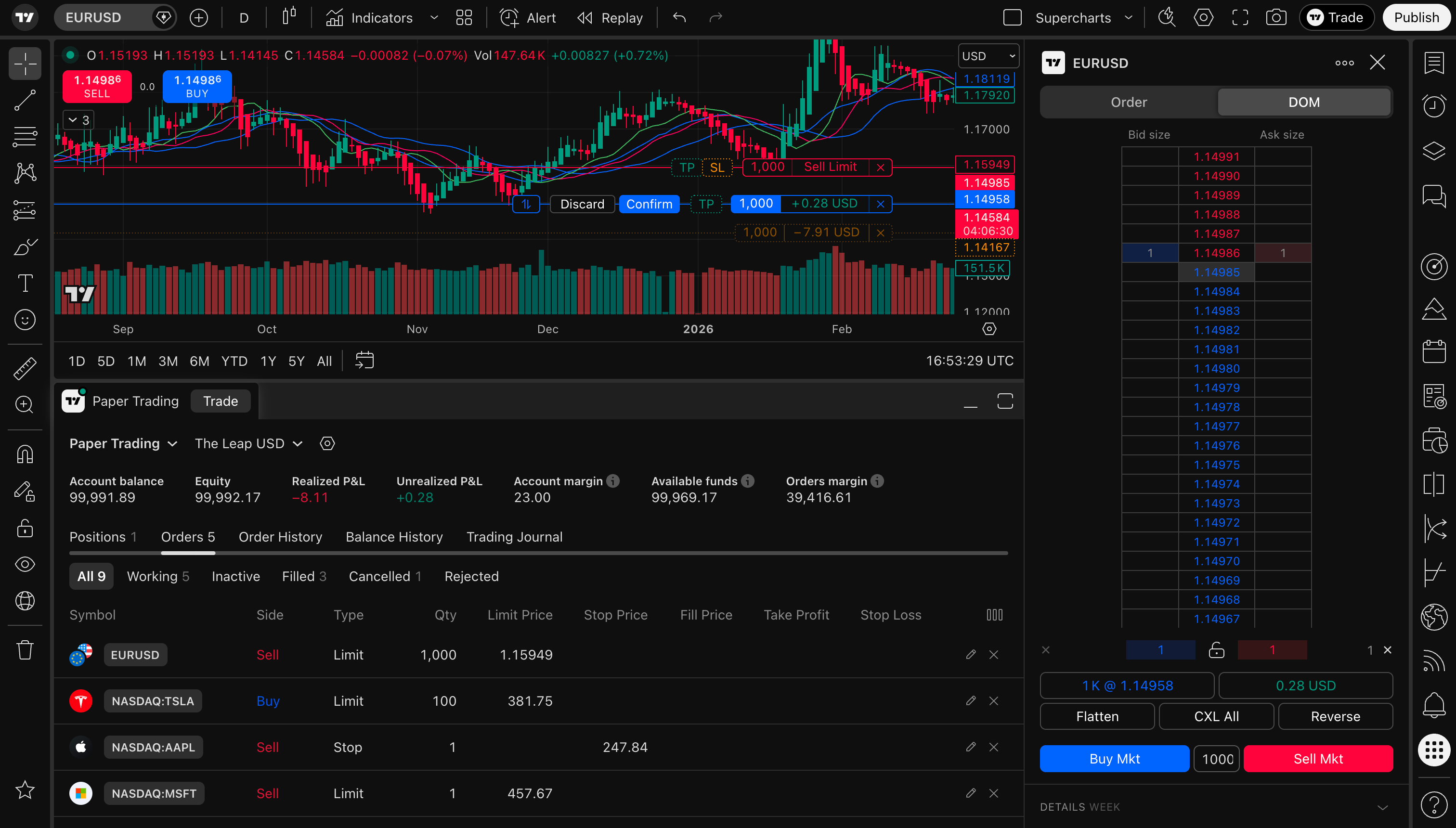
TradingView has added execution capabilities through broker connections. As of our last review, it connects to several futures brokers for direct order placement from charts. The execution experience is improving but still isn't as polished as NinjaTrader's native futures-focused tools. For traders who primarily use TradingView for analysis and execute on a separate platform, this is less of an issue.
Sierra Chart connects to futures data feeds and supports direct execution through Rithmic, CQG, and other platforms (as of our last review). The execution tools are capable but require more configuration than NinjaTrader's out-of-box experience. Sierra's trading DOM is functional and customizable, though less intuitive for newcomers than NinjaTrader's SuperDOM.
For execution, NinjaTrader wins for most traders. Sierra Chart is competitive for experienced users. TradingView is the weakest for direct futures execution but improving.
Automation and Strategy Development
NinjaTrader is the clear leader for automation among these three. The Strategy Builder (no-code), NinjaScript (C#), and built-in backtesting engine create a complete development pipeline. You can build, test, optimize, and deploy automated strategies without leaving the platform.
TradingView's Pine Script supports strategy backtesting and alert-based semi-automation. You can backtest strategies in the Strategy Tester and generate alerts for condition-based execution. Full automation requires webhook connections to external services. For semi-automated approaches (alerts to manual execution), TradingView works well.
Sierra Chart supports automated trading through ACSIL (Advanced Custom Study Interface and Language), which is C++ based. This offers maximum performance and flexibility but has the highest barrier to entry. ACSIL is the most powerful of the three programming options, and the most difficult to learn. The backtesting capabilities in Sierra Chart are available but less streamlined than NinjaTrader's Strategy Analyzer.
For automation: NinjaTrader for the best balance of power and accessibility. Sierra Chart for maximum performance if you can handle C++. TradingView for semi-automation and alert-based workflows.
Cost Comparison
Pricing changes frequently across all three platforms, so verify current rates before deciding. As of our last review, the general picture looks like this.
TradingView operates on a subscription model. The free tier is limited. Paid tiers unlock more indicators, alerts, and data. The highest tier includes exchange-level data for futures, but this can also be purchased as an add-on at lower tiers. It's the most affordable entry point for basic charting.
NinjaTrader offers a free version for charting and simulation. The paid license unlocks advanced features. NinjaTrader also operates a brokerage with commission-based pricing. The total cost depends on whether you use NinjaTrader as charting-only or as your full execution platform.
Sierra Chart is subscription-based with multiple tiers. The cost depends on which data packages and features you need. Some data feeds have additional costs through the provider. Dollar for dollar, Sierra Chart offers the most charting capability per subscription dollar, but the total cost can increase with premium data packages.
All three require data feed subscriptions for real-time futures data (typically from CME), which is an additional cost on top of the platform subscription.
The Learning Curve Trade-Off
This is where the best charting platforms 2026 comparison gets honest about trade-offs. There's an inverse relationship between ease of use and depth of capability across these three platforms.
TradingView: lowest learning curve. You can be charting productively within minutes. The interface is intuitive. The community provides ready-made tools. The trade-off is that you hit capability limits faster than on the other two platforms, particularly for advanced order flow analysis and automation.
NinjaTrader: moderate learning curve. Basic charting is straightforward. The execution tools and strategy development features require time to learn. NinjaScript requires programming knowledge. Most traders become comfortable within a few weeks of regular use.
Sierra Chart: steepest learning curve by far. The interface is dense and not intuitive. Configuration options are overwhelming at first. ACSIL requires C++ knowledge. But once you climb the curve, the platform can do things the other two simply can't. Volume profile, footprint charts, and custom order flow studies are more configurable and more performant than any competitor.
The question isn't which platform is best. It's which platform matches your needs and your willingness to invest time in learning.
Our Verdict: Who Should Pick What
For most futures traders in 2026, TradingView is the right starting platform. The accessibility, community, and visual quality make it the easiest way to develop charting skills and trade analysis habits. If your needs stay within standard technical analysis and indicator-based approaches, TradingView may be all you ever need.
If you want integrated execution and automation in one platform, NinjaTrader is the best choice. The combination of charting, execution, and strategy development in a single desktop application is unmatched for futures traders. This is our pick for the majority of active prop firm traders who want to grow into automation.
If you need the deepest market data tools and you're willing to earn them through a steep learning curve, Sierra Chart is the platform. It's not for beginners. It's for traders who've outgrown the other two and need auction market theory tools, advanced footprint charts, and custom order flow analysis at a level the others can't match.
The exception case: many traders use TradingView for charting and analysis alongside NinjaTrader or Sierra Chart for execution. This hybrid approach captures the best of both worlds. TradingView's polished charts and community for analysis, plus a dedicated futures platform for trade management.
For detailed reviews of each platform and how they integrate with specific prop firms, visit our platform reviews. And check our prop firm reviews for compatibility details between these platforms and major prop firms.
Visit TradingView →